

A mobile SERP rank tracker records a page’s Google position specifically on mobile results, separately from desktop, because mobile-first indexing and device-specific SERP features (local packs, app packs, snippet layout) mean the same keyword can genuinely rank differently on each device. Some tools split this data cleanly; others blend it or default to one device only.
Why Mobile and Desktop Rankings Genuinely Differ
It’s tempting to treat a mobile/desktop ranking gap as noise or a tracker quirk that will average out. It isn’t, or at least not only that. There’s a documented technical reason mobile and desktop results diverge, and it starts with how Google builds its index.
Google’s own Search Central documentation states: “Google uses the mobile version of a site’s content, crawled with the smartphone agent, for indexing and ranking. This is called mobile-first indexing.” That’s not a feature bolted onto an existing desktop index, it’s the index itself. For most sites today, what Google knows about a page comes from what its mobile crawler saw.
That matters for ranking because of what happens when mobile and desktop versions of a page aren’t identical. Per the same documentation: “Even with the equivalent content, differences in DOM or layout between desktop and mobile page can result in Google understanding the content differently.” A mobile template that drops a paragraph, a piece of structured data, or an internal link that exists on desktop effectively removes that content from indexing, even though a desktop visitor would never notice it’s missing.
Page experience adds a second layer. Google’s page experience documentation lists “does your content display well on mobile devices?” as a self-assessment question, and names Chrome Lighthouse for finding “improvements to make related to page experience, including mobile usability.” Google is explicit this isn’t a dominant factor alone: “Google Search always seeks to show the most relevant content, even if the page experience is sub-par… Having a great page experience can contribute to success in Search” where content quality is otherwise similar, a tie-breaker rather than a guarantee.
Google also confirms device is an acknowledged reason results differ between people at all: its Search Help documentation notes results are shown “based on your screen type, like mobile or desktop,” alongside location and personalisation. A single tracker reading, on either device, is a snapshot under fixed conditions, useful for spotting trends, not proof of what every searcher sees.
None of this makes desktop irrelevant or mobile “the real ranking.” They’re two different, both real, measurements from an index built primarily on mobile content but expressed differently by device. A tracker that only checks desktop reports one dimension and calls it the whole picture.
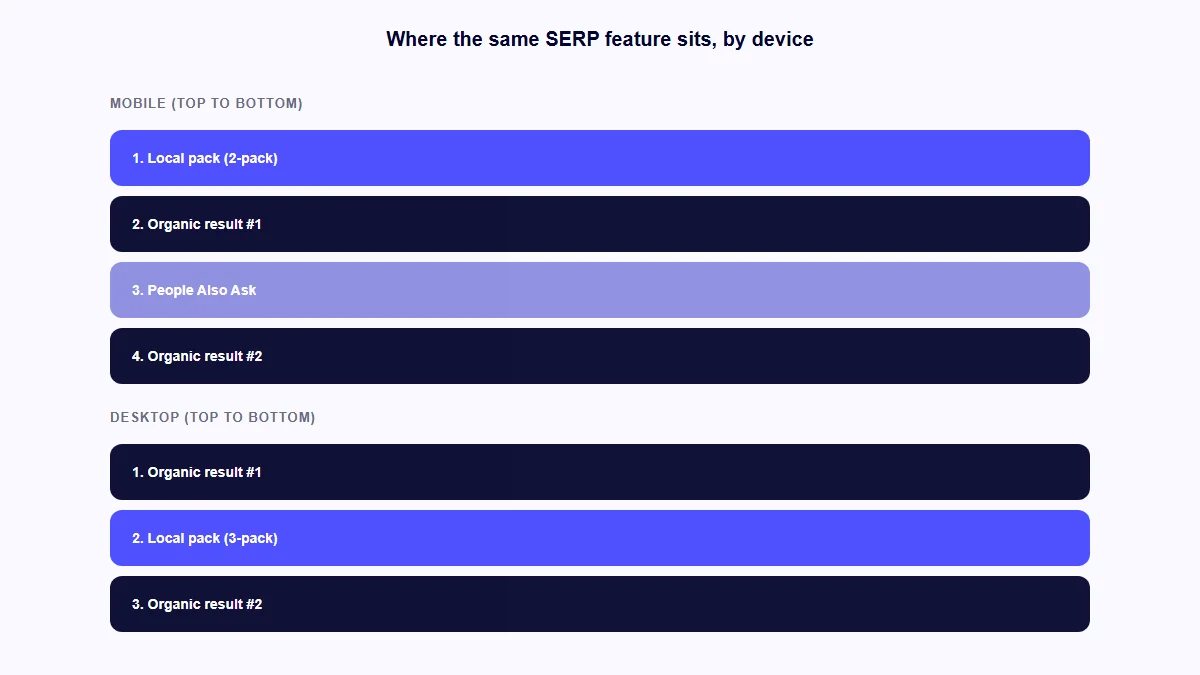
How SERP Features Change by Device (Not Just Position Numbers)
A ranking position is only part of what changes by device. The actual layout above the organic list, and how much space it takes up, shifts too, which changes what a given position number is worth.
The clearest documented example is the local pack. SterlingSky, a local SEO agency, published two real client case studies. In one, a client’s desktop ranking dropped from position 3 to 4 with no drop in call volume, because the mobile SERP for that keyword showed a 2-pack local block rather than a 3-pack, and the client had never appeared in the mobile 2-pack; most of their real traffic was mobile, so the desktop change was close to meaningless for the business. In a second case, a real estate client’s top query didn’t trigger a local pack on desktop at all, but did on mobile, where most of that client’s traffic originated. These are disclosed by SterlingSky as specific client examples, not a large-scale study, and are used here the same way: a genuine illustration, not proof of a universal percentage.
Other SERP elements are widely understood in SEO practice to behave differently by device, without a single Google document confirming every mechanic: People Also Ask boxes sit in different positions, app packs and shopping carousels appear more on mobile, and knowledge panels often collapse or reformat. The practical consequence is the same either way: two trackers reporting “position 4” for the same keyword on different devices may describe genuinely different amounts of visible space above that result.
This is also where mobile tracking is a different job from AI-answer-engine tracking. This site’s full SERP rank tracker comparison covers which tools also track AI Overviews, ChatGPT and Perplexity visibility, a separate axis of SERP variation from device. If tracking brand citations across AI platforms is the primary need rather than a bolted-on feature, this site’s AI visibility tracker roundup covers that category directly, and checker vs AI visibility tracker explains the broader distinction. A tool can split mobile from desktop well and have no AI-tracking layer at all, or vice versa; this article stays focused on the device axis.
9 Mobile-Aware Rank Trackers Compared: Device-Split Quality at a Glance
| Tool | Device-split approach | Starting price | Free/no-signup mobile check? |
|---|---|---|---|
| Keyword.com (keyword.com) | Dedicated mobile tracker, native side-by-side view | $3/month | No, 14-day trial only |
| Mangools SERPWatcher (mangools.com) | Separate tracker per device, prompts to mirror keywords | ~$29.90/month (third-party) | No, trial only |
| Serpotrack (serpotrack.com) | Mobile-first framing; both devices supported | From ~€1.30/month (custom, beta) | No, trial only |
| Link-Assistant Rank Tracker (link-assistant.com) | Googlebot Mobile added as a distinct search engine | Free tier; $179/year (Pro) | Yes, unlimited free tier |
| Sitechecker.pro (sitechecker.pro) | Customisable device parameter per project | $99/month | No, 14-day trial only |
| AccuRanker (accuranker.com) | Separate campaigns per device | $224/month | Yes (full review linked) |
| Ahrefs Rank Tracker (ahrefs.com) | Device chosen at setup, toggle view | $129/month | No (full review linked) |
| SEMrush Position Tracking (semrush.com) | Device fixed per campaign at setup | $117.33/month | No (full review linked) |
| Nightwatch (nightwatch.io) | Native side-by-side desktop/mobile/tablet | €79/month | No (full review linked) |
Prices are each vendor’s own published figure where confirmed directly, verified 2026-09-03, and can change. Mangools’ figure is flagged: its own pricing page didn’t render dollar amounts during direct verification, so the number shown is attributed to Capterra’s listing. AccuRanker, Ahrefs, SEMrush and Nightwatch pricing is repeated from /best-serp-rank-tracker-tools/, not re-verified separately here.
Five Tools Built Around Mobile-Specific Tracking
These five aren’t reviewed elsewhere on this site. Each gets full coverage here: what the mobile-tracking feature does, pricing where published, and vendor claims labelled as such rather than treated as fact.
Keyword.com (keyword.com)
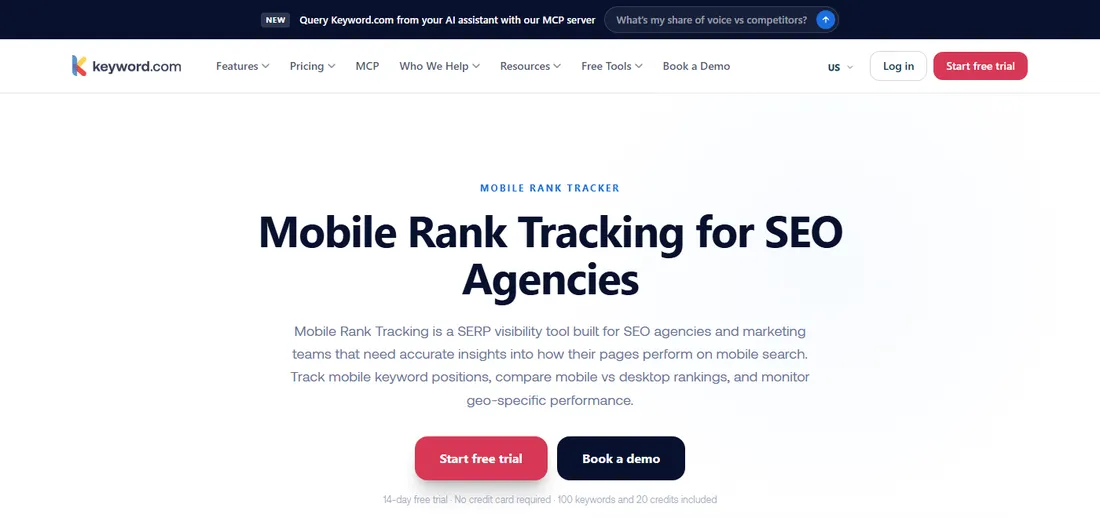
Keyword.com (keyword.com) runs a dedicated Mobile Rank Tracker page, built around device-level tracking with mobile and desktop shown side by side. It also tracks mobile-specific SERP features including map pack visibility, monitors competitor mobile SERP dominance, and connects to its own Local Rank Tracker for multi-location businesses down to city or ZIP level.
Its own page states a figure worth treating carefully: “Only 13% of websites maintain similar positions across both mobile and desktop.” That’s Keyword.com’s own marketing statistic, with no visible independent methodology, so it’s presented here as a vendor claim, not a verified fact.
Pricing starts at $3/month for Search Visibility (50-500 keywords, Google-only), a 360° Visibility plan from $26/month combining Google and AI search visibility, an AI-only plan from $7.83/month, and a custom plan from $490/month. A 14-day free trial includes 100 keywords and 20 credits, no card required. Rankings refresh every 24 hours, with on-demand refresh in roughly two to three minutes.
Best for: a team wanting mobile tracking bundled with mobile-specific SERP feature and map-pack visibility, at one of the lowest entry prices here.
Mangools SERPWatcher (mangools.com)
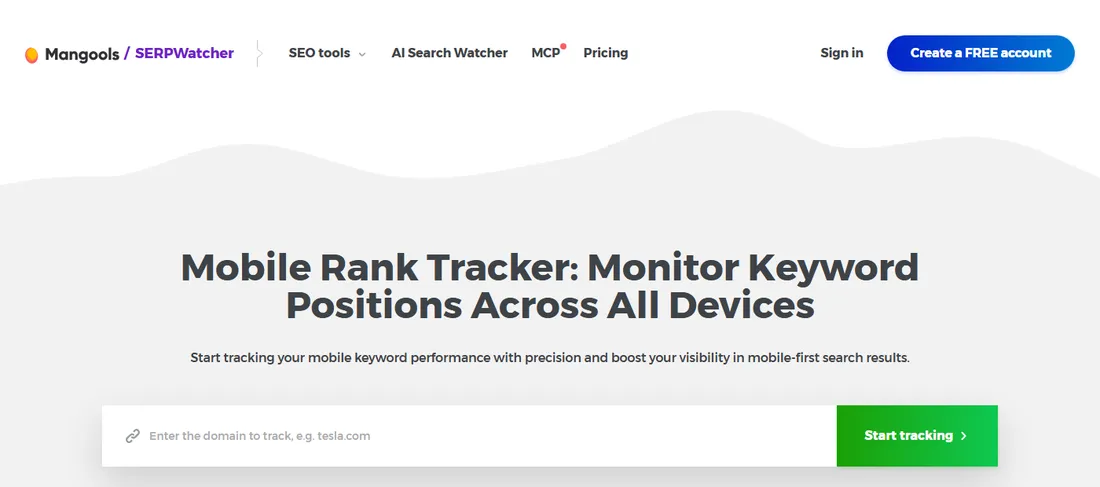
Mangools SERPWatcher (mangools.com) treats desktop and mobile as genuinely separate trackers rather than one blended project. When keywords are added for one device, SERPWatcher explicitly prompts whether to mirror the same set on the other, rather than assuming. Its own stated reasoning: “Different smartphones, screen sizes, OS versions, and mobile SERP layouts can produce varied results, even within the same location.”
SERPWatcher isn’t sold on its own; it’s bundled inside the wider Mangools suite (with KWFinder, SERPChecker, LinkMiner and SiteProfiler) across all three tiers. Update frequency depends on plan: weekly on Basic and Premium, daily on Agency. Mangools’ own pricing page didn’t render dollar figures during direct verification; Capterra lists Basic at $29.90/month, Premium at $44.90/month and Agency at $89.90/month, a third-party figure rather than one confirmed directly.
Best for: a team wanting deliberate control over whether a keyword set tracks on one device or mirrors across both, rather than a tool that assumes.
Serpotrack (serpotrack.com)
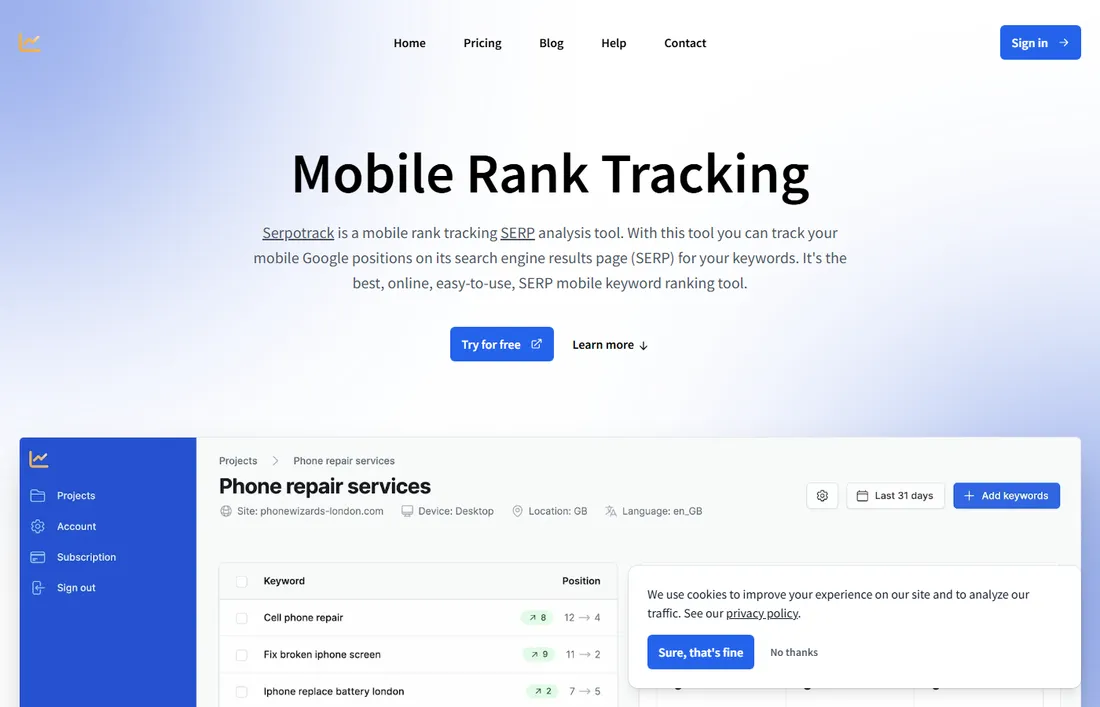
Serpotrack (serpotrack.com) is built and marketed around mobile SERP tracking specifically, with its own /mobile-rank-tracking page and copy leading with mobile positions. Worth stating plainly, since its framing invites the opposite assumption: Serpotrack isn’t mobile-exclusive. Its own homepage confirms support for “all locations and devices (mobile & desktop),” so it’s mobile-first in emphasis, not mobile-only in function.
The product is in public beta with custom, “pay for what you need” pricing rather than fixed tiers: keywords, update frequency and maximum tracked position are all adjustable, starting from roughly €1.30/month before Dutch VAT during the current early-bird phase. Every plan includes unlimited projects, full ranking history, competitor analysis and CSV export. No card is required for the free trial.
Best for: a smaller site or solo consultant wanting mobile positions as the primary focus, comfortable with a beta-stage product and custom rather than published pricing.
Link-Assistant Rank Tracker (link-assistant.com)
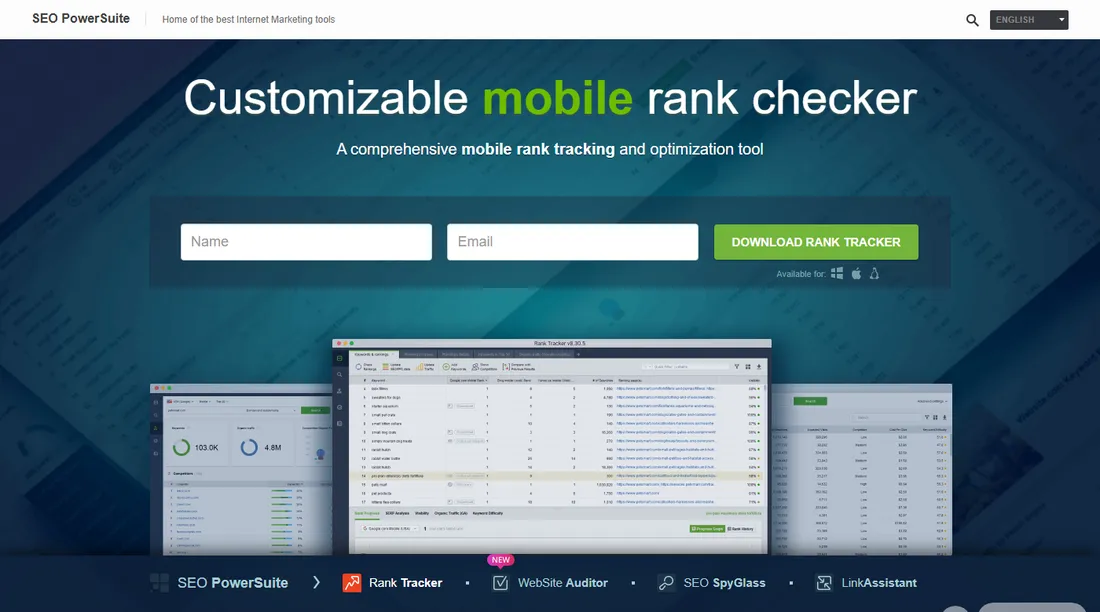
Link-Assistant Rank Tracker (link-assistant.com), part of SEO PowerSuite, is structurally different from every other tool here: a downloadable desktop application, not a browser-based SaaS dashboard. Device tracking works by adding “Googlebot Mobile” as a distinct search engine inside a project, then switching between desktop and mobile views, with location precision down to street level or an exact address.
The free tier is unusually generous: unlimited ranking checks with no cap on keyword count, locations, search engines or check-ups, free SERP analysis, free keyword research across 24 methods, one free competitor per project, and eight report templates. Paid tiers for the standalone Rank Tracker are $179/year (Professional) and $419/year (Enterprise); it’s also sold inside the broader four-tool SEO PowerSuite bundle at separate bundle pricing.
Best for: someone wanting unlimited free mobile rank checking without a subscription, comfortable running checks from installed software rather than a hosted dashboard.
Sitechecker.pro (sitechecker.pro)
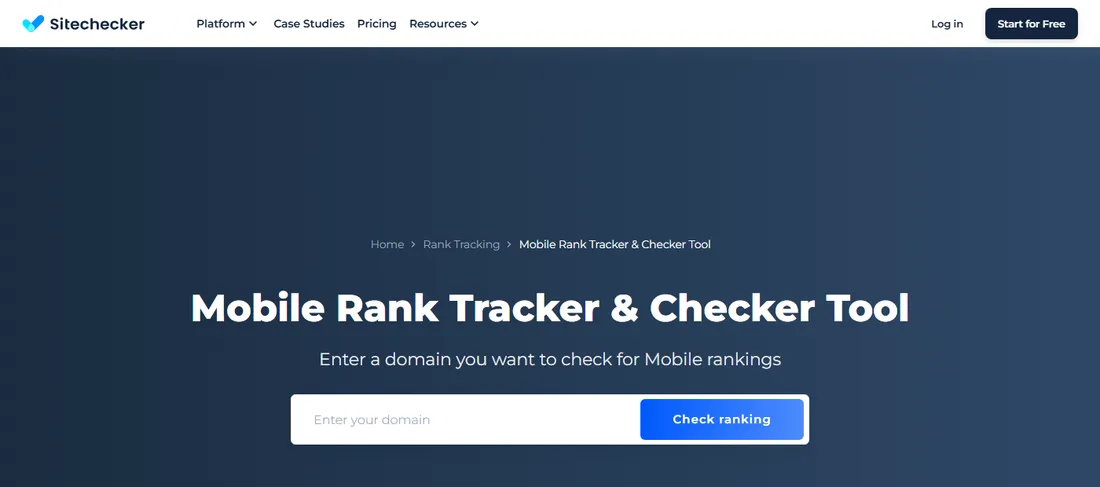
Sitechecker.pro (sitechecker.pro) offers a dedicated Mobile Rank Tracker with customisable search engine, location, language and device parameters, plus competitor comparison and SERP feature analysis specific to mobile queries. It’s positioned as an all-in-one, agency-oriented platform rather than a narrow point tool.
Pricing starts at $99/month for Basic (5 sites, 250 keywords), rising to $249/month for Standard (15 sites, 1,000 keywords, marked “Popular”), $449/month for Premium (50 sites, 5,000 keywords), and custom Enterprise pricing. Annual billing saves roughly 17%. A 14-day free trial requires no card.
Best for: an agency wanting mobile tracking folded into a broader multi-site SEO platform, comfortable with a higher entry price for that breadth.
Four General Trackers, Briefly: How Well Do They Split Mobile and Desktop?
These four have a full, hands-on review in our SERP rank tracker comparison, covering pricing, AI Overview tracking and everything else. This section stays narrow: does each split mobile and desktop cleanly?
AccuRanker runs mobile and desktop as separate campaigns with independent data streams, never blended into one average, with location tracking down to city and zip level. Pricing and its AccuLLM AI-tracking module are covered in how AccuRanker compares overall.
Ahrefs Rank Tracker asks which device (desktop, mobile, or both) to track at project setup, then lets users toggle a “Mobile” view showing position, mobile-specific SERP features, traffic and Share of Voice separately, across up to 15 SERP features and 190+ countries. Its complete pricing and AI Overview coverage sit in the wider tracker comparison.
SEMrush Position Tracking fixes device (desktop, phone or tablet) at campaign creation and can’t change it afterwards; tracking both devices for the same keywords means a second campaign, and multi-device targeting beyond basic setup needs the Guru or Business tier. SEMrush’s suite pricing is broken down separately.
Nightwatch has its own dedicated mobile rank tracking page, stating “a keyword can rank #3 on desktop and #11 on mobile at the same time,” shown side by side. It stores full SERP archives with pixel-level comparisons and raw HTML per check, with location granularity down to over 107,000 cities and neighbourhoods. Its AI-engine tracking list is detailed in the main comparison article.
Do You Actually Need Device-Split Tracking? A Decision Framework
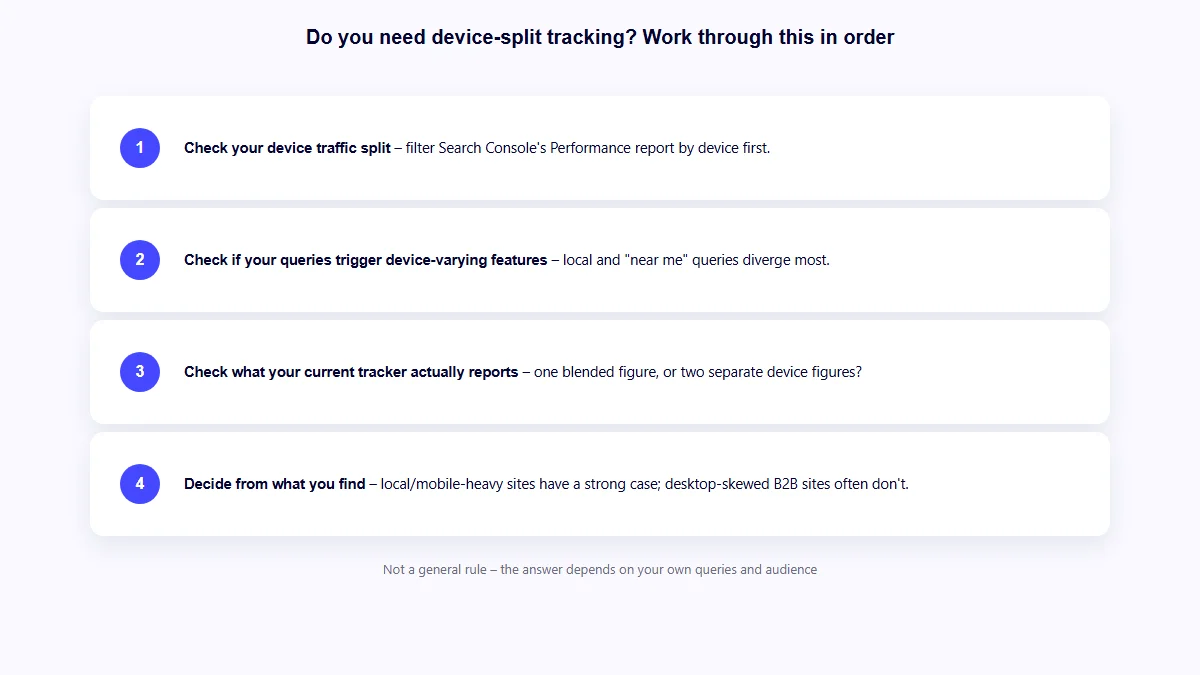
Not every site needs to pay extra attention to a mobile/desktop split. Work through this in order:
- Check your actual device traffic split first. Google Search Console’s Performance report filters by device. If mobile is a small minority of your real search traffic, a gap matters less practically, even if it exists.
- Check whether your target queries trigger device-varying SERP features. Local and “near me” queries are most likely to show a local pack that varies by device, per the pattern SterlingSky documented. Broad informational queries diverge less sharply.
- Check what your current tracker actually reports. A tool showing one blended position rather than two device figures may be hiding a gap you can’t see, not because it doesn’t exist, but because the tool isn’t built to show it.
- Decide from what you find, not a general rule. A local service business with mostly mobile traffic and local-pack-triggering queries has a strong case for device-split tracking. A B2B SaaS company whose queries never show a local pack has a weaker one.
This isn’t about mobile “mattering more” than desktop by default. It’s whether your specific queries and audience make the split worth tracking separately, a question with a different answer for different sites.
Before You Trust Any Vendor’s Mobile-Accuracy Claim
Mobile tracking claims are easy to compare on the surface and easy to misread underneath. Check these on the vendor’s current page before treating a claim as settled:
- Is it genuinely split, or blended? Some tools report one position per keyword by default and need an explicit second project to see the other device, as SEMrush’s fixed-at-setup device does. Others, like Mangools, keep devices permanently separate and prompt before mirroring.
- Does the vendor name a specific accuracy figure? Keyword.com’s “13% of websites maintain similar positions” is its own stated figure, with no visible independent source. Treat any vendor’s self-reported divergence statistic as a claim to note, not a fact to rely on.
- What’s the update frequency for mobile specifically? Mangools drops to weekly updates on lower tiers; daily is reserved for Agency. A tool updating desktop daily but mobile weekly isn’t giving both devices equal freshness.
- Is location simulation genuinely local, or approximated? Several tools here track to city or zip-code precision; others don’t specify their method publicly, a weaker signal for local-pack-sensitive queries.
- What is the tool actually measuring? Mobile-first indexing means the mobile version of a page is the primary basis for indexing and ranking generally, not a separate system layered on top. A tracker reporting a mobile position is reporting on the version Google is most likely working from in the first place, not a niche metric.
What Device-Split Tracking Still Can’t Tell You
Splitting mobile and desktop data solves one blind spot: it stops one device’s numbers hiding the other’s. It doesn’t explain why a gap exists, whether a page’s mobile version is missing content or markup present on desktop, or what to fix. That’s a page-level readiness question, a different layer entirely from position monitoring.
If that’s the actual gap, on-page structure and whether mobile and desktop versions carry equivalent content and markup, AI Rank Inspector audits a page’s SEO, AEO and GEO signals directly. It’s a page-level checker, not a rank tracker, and isn’t reviewed or ranked alongside the tools above.
No tool in this article, at any price or on any device, can guarantee a ranking position on mobile, desktop, or both. Every figure and feature described here is what a vendor states its product measures or does, not a prediction of what it will achieve for any specific site.
FAQs
Do mobile and desktop rankings really differ, or is that just tracker inconsistency?
They really differ, and it’s documented rather than assumed. Google’s mobile-first indexing documentation confirms the mobile version of a page is the primary basis for indexing and ranking, and that layout or content differences between versions can change how Google understands a page. Combined with device-specific SERP features like the local pack, two trackers reporting different positions on different devices can both be accurate at once.
Is mobile-first indexing the same thing as mobile rank tracking?
No. Mobile-first indexing is Google’s own method for building its index, using the mobile version of a page as the primary source. Mobile rank tracking is a third-party tool measuring where a page shows up in mobile results. The first is why the second is worth doing, not the same activity.
Which tools split mobile and desktop most cleanly?
Keyword.com, Mangools SERPWatcher, AccuRanker and Nightwatch all treat mobile and desktop as genuinely separate, always-visible data sets rather than requiring extra setup. SEMrush fixes device at campaign creation, meaning a second campaign is needed for the other device, worth knowing before choosing it for a device-split use case.
Do I need a mobile-specific tool, or does a general SERP tracker cover this well enough?
Most general SERP trackers, including several covered in this site’s tracker roundup, already track mobile and desktop; the real question is whether they split the data cleanly by default. A dedicated tool like Keyword.com or Serpotrack makes sense when mobile-specific SERP features, map pack visibility, mobile competitor dominance, are the actual priority.
Does Google Search Console show mobile vs desktop rankings?
Partially. Search Console’s Performance report filters by device, showing average position from a site’s real impressions and clicks, genuinely useful and free. It won’t check a specific keyword on demand, or show a live snapshot outside a site’s own search history.
Does AI Rank Inspector track mobile rankings?
No. It’s a page-level SEO, AEO and GEO checker, not a rank tracker of any kind. It audits a single page’s structure, including whether mobile and desktop versions carry equivalent content and markup, but doesn’t monitor keyword positions on any device over time.